Transcript
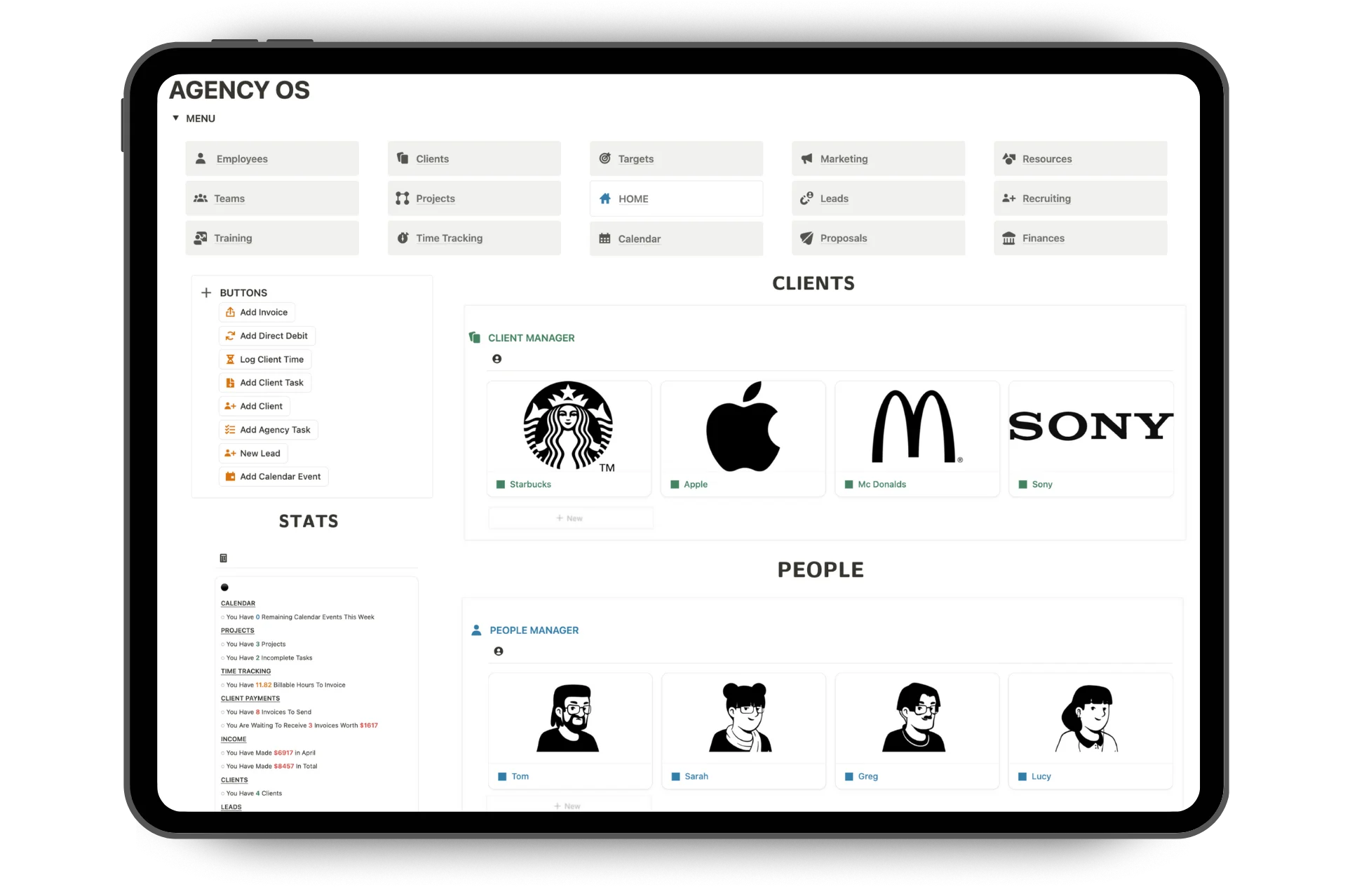
Introduction (0:00) Agency OS is the ultimate Notion dashboard to run and grow your agency. This dashboard upgrades the way you handle four essential areas: client and employee management, projects and tasks, agency operations, and client acquisition. All pages are fully integrated into a single setup. The system is fully expandable, easy to use, customizable, and comes with no subscription fee. Agency owners have loved the dashboard, and we're constantly adding new capabilities to make it even better. Client and employee management (0:27) Let me start by showing you how clients and employees are managed easily. On the homepage, you can access client and employee portal pages. With Notion, I have the ability to create any type of tool inside this page. For example, I have a section that allows me to track monthly performance, record feedback, and create a next steps checklist. I have a project timeline where I can collaborate and assign work to team members or the client, as well as set deadlines, create project tasks, and keep track of progress. Notion offers many possible ways to record and display data. You also have the option to embed other software and apps into the page, such as Figma, Typeform, Slack, and Dropbox. The portal page can easily be shared with clients or team members so they can collaborate or view. You can also create any number of pages for employees or contractors. Use these pages to add contact info, HR details, relevant tasks, and performance reviews. You can also manage employee development with training modules and plans that can be assigned and shared. Inside the dashboard, you can create and organize teams, assign clients, add responsibilities, set targets, and create team tasks. The dashboard makes it easier to handle more clients, manage and develop your teams, and collaborate and share information seamlessly. Project and task management (1:51) Let's now cover how the dashboard helps project and task management. You have many options when it comes to managing client projects. You can add them via the client portals or directly on the projects page. In each project, you can track the status of tasks and store relevant files and notes, which can all be shared with teams or clients. To better manage your agency's time, Agency OS includes an integrated time tracker. Assign and track hours across projects or clients and get a clear view of where your agency's time really goes. Use quick add buttons, manual logs, or live timers, whatever fits your workflow. You'll also find a separate page to create agency targets and keep track of tasks. On the homepage, you'll find useful quick action buttons as well as stats on the whole dashboard. These task and project sections increase your productivity, improve your time management, and keep you and your team accountable. Agency operations (2:45) Okay, let's now move on to the operations sections of the dashboard. You have the option to track your invoices, direct debits, and other income. In the finances page, you can also input all your different expenses and monitor your monthly cash flow. The dashboard includes dedicated pages for storing all types of agency information. For instance, the forms page allows you to add client or employee contract templates, while the resources page lets you store agency SOPs, FAQs, and stakeholder contact details. This ensures that all important information is organized and easily accessible within the dashboard. Client acquisition (3:25) Now, let's explore how the dashboard enhances your ability to acquire leads, nurture them, and ultimately convert them into new clients. In the marketing page, you can track your audience across all your social media accounts, schedule and organize posts, upload files, and monitor engagement to see what's working well. On this page, you can map out your strategies for gaining qualified leads, such as through cold outreach or a referral program. This allows you to analyze what works best and strategize new, more effective methods to expand your agency. The leads page is designed to streamline how you manage and nurture new leads. You can easily store contact details, track each lead's status and last contact date, and record notes on their specific pain points or values. By tailoring your communication based on this information, you enhance your ability to convert leads into clients. When outlining a business proposal, I can create one directly on this page. It allows me to use my lead notes to craft a compelling value proposition. This is also where I store all my client success stories, testimonials, and performance figures, enabling me to add relevant evidence that strengthens my pitch to potential clients. Summary (4:36) Integrating these four essential areas into the dashboard increases your ability to acquire new clients, manage existing clients and teams with greater ease, boost productivity and collaboration, and streamline operations and information within your agency. Whether you're new to Notion or an expert, this dashboard includes a step-by-step setup guide, wiki pages, and lifetime support to ensure you can seamlessly integrate your business into the setup. Everything is fully customizable to fit your brand and workflow, and you can easily edit or build new pages or trackers into the dashboard. Get Agency OS today and unlock lifetime access to run and scale your business.