
Transcript
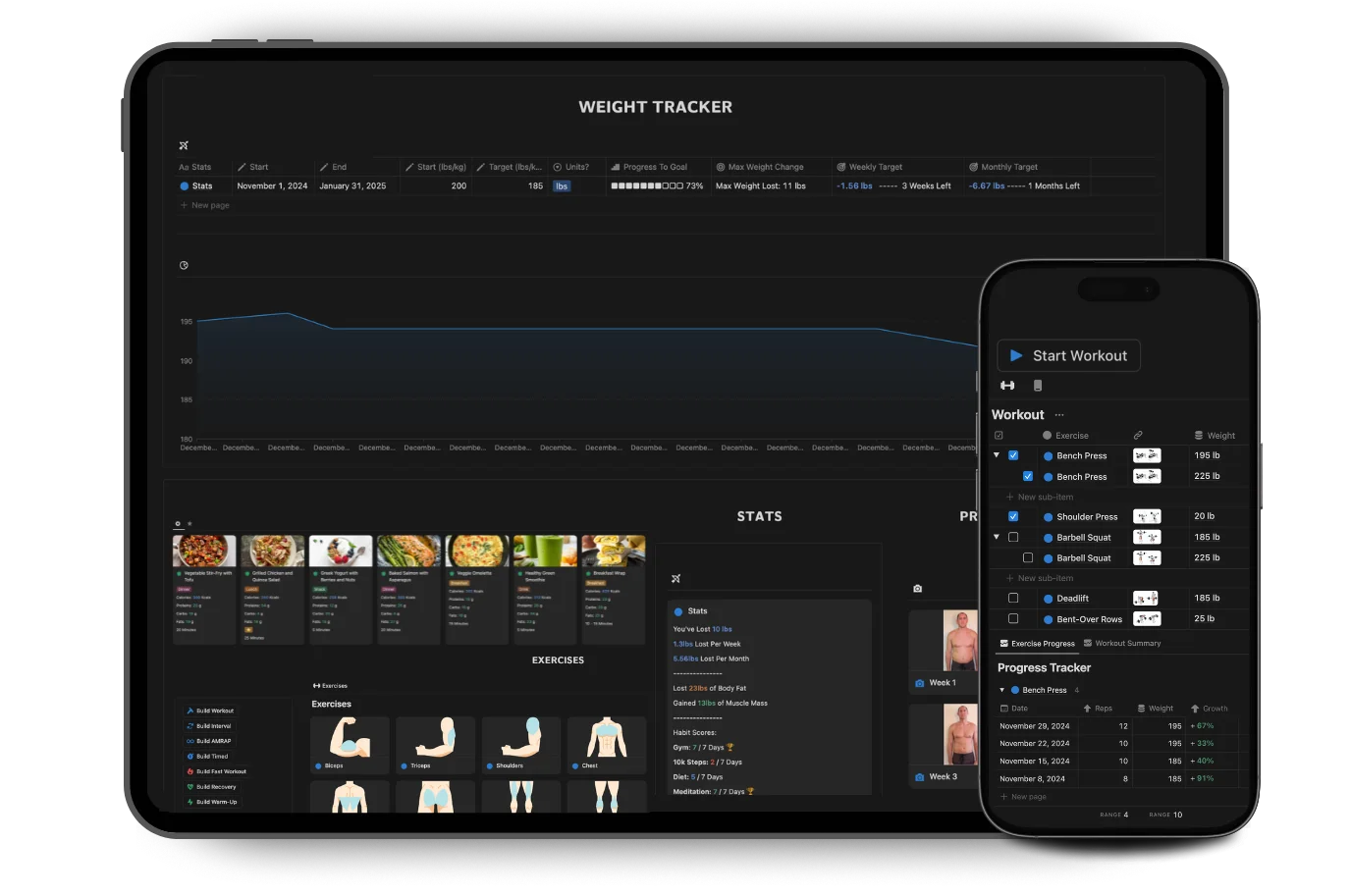
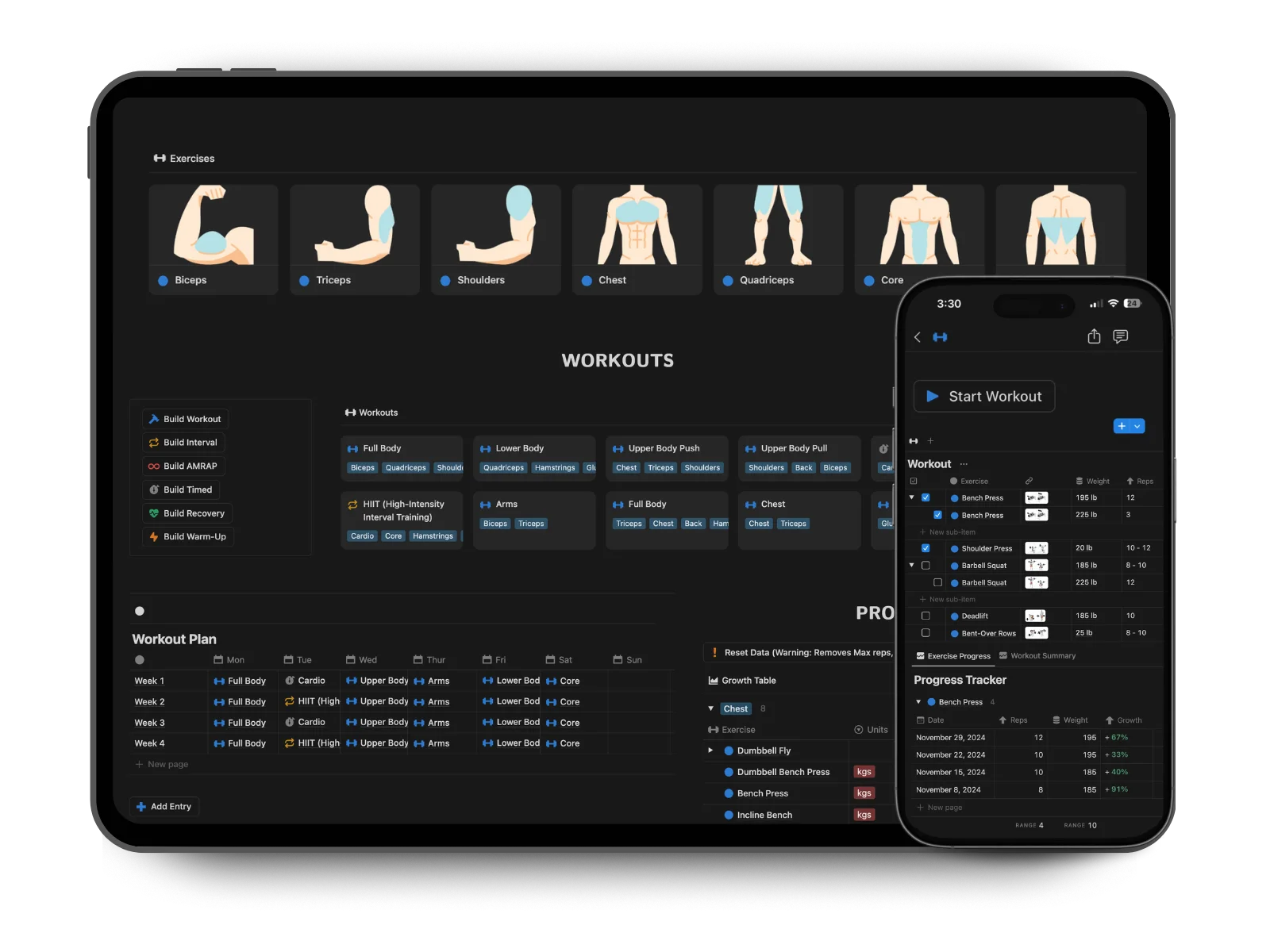
Intro (00:00) Most people fail their health and fitness goals not because they lack motivation, but because they don't have the right system. You don't need to waste money signing up for multiple subscription apps. You just need to use a system that actually works. The world's top athletes don't rely on willpower alone. They have structured systems for success. If you're serious about achieving your health and fitness goals, it's time to start using a system of your own. So, what would the perfect health and fitness system look like? No subscriptions, works easily on mobile and desktop, built by real coaches, fully customizable and allows you to track and manage all areas. You can get instant access to all these benefits and more in Health 360, a fully customizable system that works on a free Notion account. Weight Tracking (00:44) Let me start by showing you how the setup helps you easily track and manage your weight. If I set my desired body weight and the date I want to achieve it, I automatically receive weekly and monthly weight targets. And this works for both weight loss and weight gain. I can quickly log my weight using the desktop app or from my phone, and I'll get instant stats on my progress and changes in body fat and muscle mass. Diet Tracking (01:10) Now that we've covered weight tracking, let's move on to how you can better plan and track your diet to support your health and fitness goals. On the diet page, I can use the calorie calculator table and input my weight loss target, and I'll receive my recommended daily caloric intake and deficit amount I need in order to achieve that goal. I can then use the diet targets table to adjust my levels of macros and see what amount of protein I need to aim for each day. Finally, I can toggle these settings on if I want to track my actual diet intake versus these targets in my daily entries. If I now go to my daily entry in the calendar, I can get a clear view of how my meals align with my diet targets. I'll instantly be able to see how many calories I have left in the day or how much more protein I need. Tracking your meals is really simple. You can either add a meal, drink or snack you've already made into the tracker, which automatically sums up the total nutrition amounts, or you have the option to manually input your calories and macros if you're using an app like MyFitnessPal. Meal Planning (02:07) To make it easier for me to stick to these new diet targets, I can use the meal plan table to create a plan for the week. I can test out different combinations of meals and foods, and I'll automatically see the total calories and macros. This is a great way to ensure we're consistent with our diet throughout the week. Shopping Lists (02:26) Another great way to improve consistency with your diet is by creating a shopping list tailored to your needs. Using the ingredients database, you can select each food item, add quantities or personalized notes, and organize everything in one place. When you're at the store, simply pull up the list on your phone and check off items as you go. This not only ensures you stick to your plan, but also saves time and reduces the likelihood of impulsive purchases. You can create any meal, drink or snack from these ingredients, and the total calories and macros will automatically be calculated for you. Workout Planning (02:57) Now, let me show you how the app unlocks your fitness potential. It lets you build and complete any type of workout, track all areas of your progress, and set and achieve exciting challenges. It already comes preloaded with over 40 workouts and over 100 different movements, so you can start training instantly. On the left side, I have buttons that let me create any type of workout from five different formats. I can also build recovery routines or warm-ups as well. If I create a standard gym workout, I can easily reference exercises, which automatically load example images. I can then specify weights, reps, sets, notes and rest periods. I can also choose to create a timed interval, AMRAP or fast workout, which all have their own table format and dedicated progress tracker. Then, using my phone, I can quickly open the workout, select "Start Workout", and the table is reset and the workout is logged in the daily entry automatically. It's that easy. Workout Progress Tracking (03:51) Now that we can create and start workouts, let me show you all the ways the app enables you to track your progress so you can celebrate your success and make smarter decisions in your training. Let's first look at workout tracking. Under each of the tables, I have a progress tracker. Once I've completed an exercise, I select "Track" and all the details are automatically logged. It instantly gives me stats on my progress, for example, total work volume, which is a great metric for strength. I'm also given a summary of all my completed workouts. This way, I can easily spot trends and look to incrementally increase the weights or reps each time I train, which helps me progress faster. I also have a separate progress table where I can record things like one-rep maxes and the maximum number of reps I can do for each exercise. Fitness Challenges (04:39) Now, let's cover challenges. Challenges are a great way to boost our motivation and enjoyment of training. There are over 15 challenges you can start straight away, each with its own difficulty, focus and length. One of the challenges I'm currently undertaking is the 75 Hard Challenge, a rigorous yet rewarding test of discipline. Each challenge comes with its own progress tracker and instructions. I can also design my own custom challenges across any type of activity. For example, I want to increase my cardio, so I'm setting myself a running challenge. I can quickly update my progress and see all my active and completed challenges at a glance. Habits & Wellbeing (05:15) Finally, to support strong mental wellbeing, the app offers a variety of resources and includes a built-in journal you can use daily to track your thoughts. I also have the option to track a number of customizable habits. I can then see all my habit scores for the last seven days, which shows how consistent I'm being. Health 360 (05:32) Overall, the app makes it effortless to master all these areas of our health in one integrated system. It comes with a step-by-step setup guide and customer support, so even if you're new to Notion, you can start making progress from day one. And Health 360 is designed to help you keep making progress until you achieve your goal. Smarter tracking, faster results and no subscription fee. Your ultimate health and fitness companion for life. Get instant access and get started now. Thanks for watching.