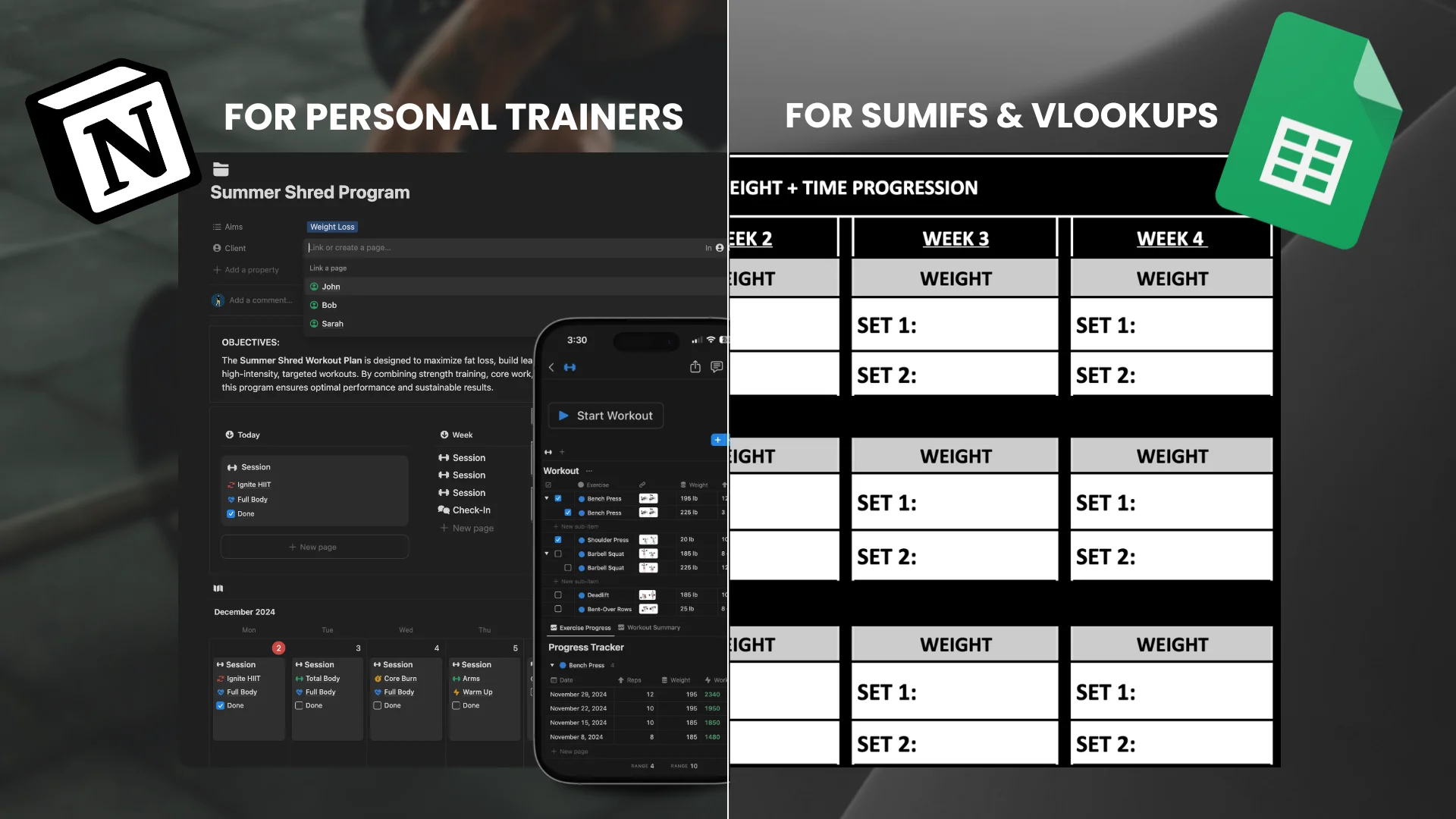
If you're still building every client program from scratch, you're burning hours you don't need to. This guide walks through how personal trainers use Notion to build reusable workout program templates, assign training plans to clients, and deliver a professional experience without the admin headache.
A Notion client tracker helps personal trainers and online coaches manage workouts, check-ins, progress, and client communication in one place.
Many coaches start with spreadsheets or multiple apps, which quickly become messy or expensive.
A structured Notion system allows you to track clients, deliver programs, and manage your coaching business from a singleplatformm without monthly fees.
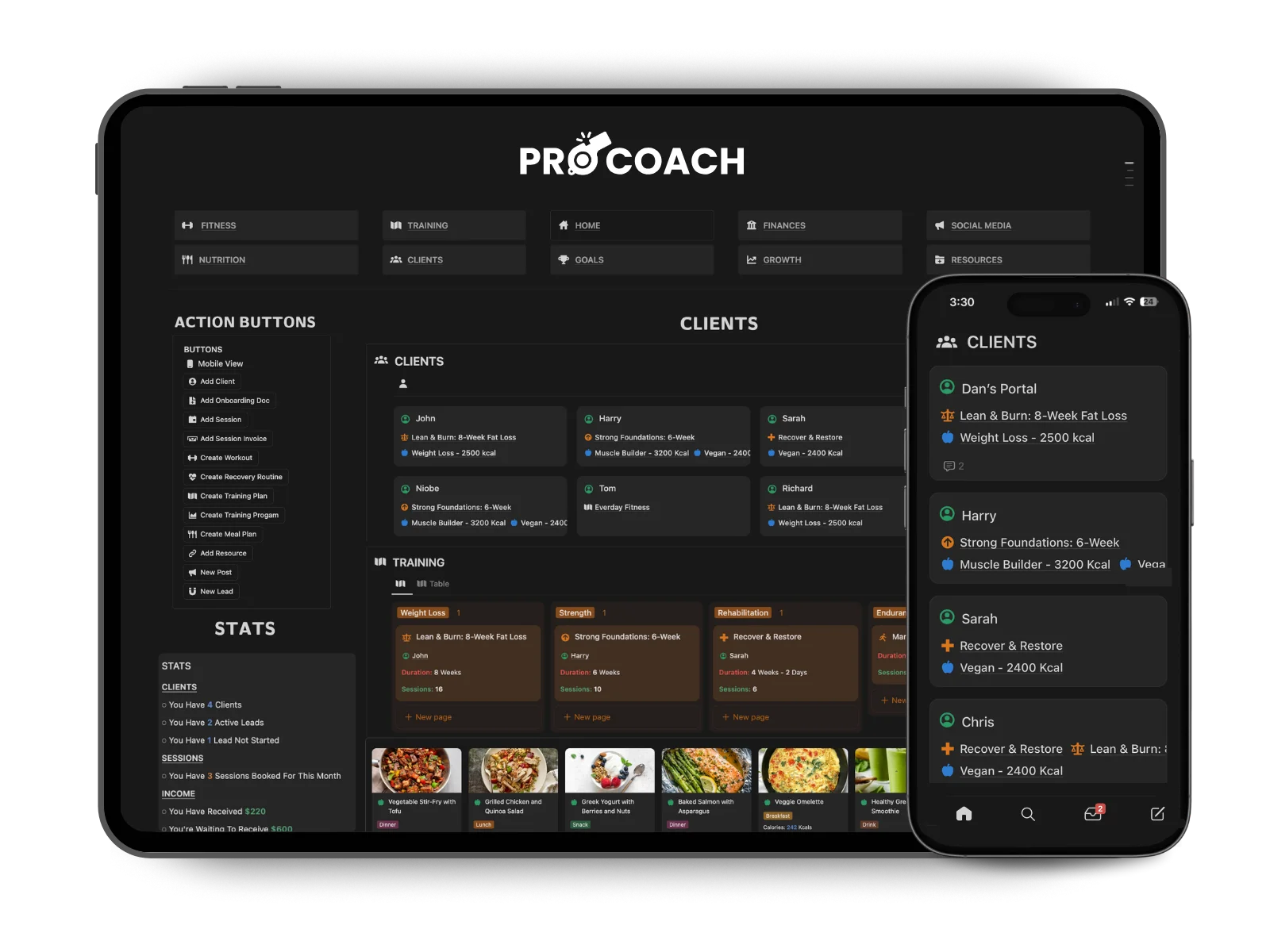
Below is a walkthrough of how a Notion client tracking system works in practice.
A Notion client tracker helps online coaches manage workouts, check-ins, progress, and client communication in one place.
Many coaches start with spreadsheets or multiple apps, which quickly becomes messy. A structured Notion system allows you to track clients, deliver programs, and manage your coaching business from a single workspace.
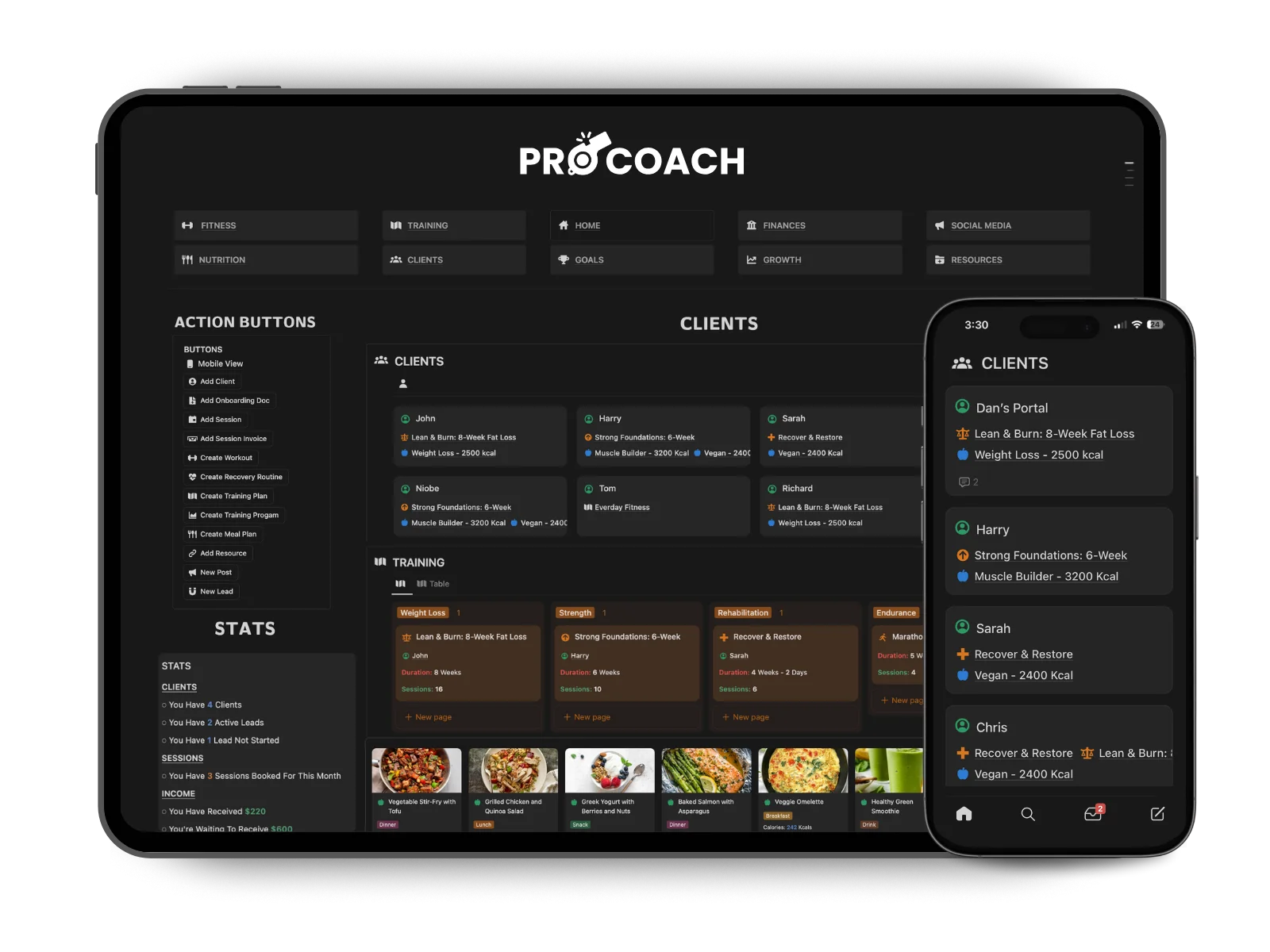
Below is a walkthrough of how a Notion client tracking system works in practice.
Example Client Training Plan System in Notion
Example Client Tracking
System in Notion
Why Personal Trainers Use Workout Program Templates
Building a training plan from scratch for every new client is one of the biggest time drains in coaching. It's also completely unnecessary.
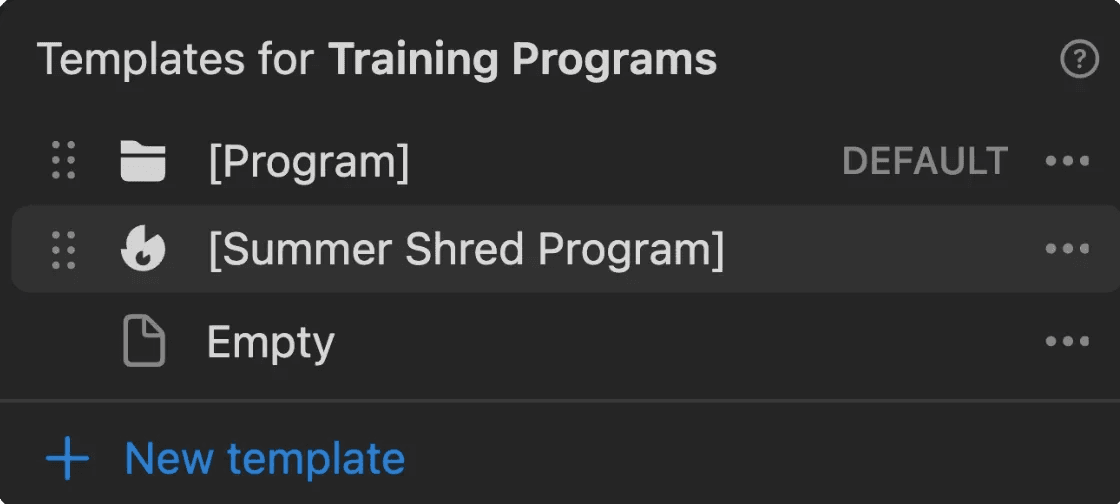
The best personal trainers work from a library of reusable workout program templates. You build a solid strength template, a fat loss template, a beginner full-body template. Then for each new client, you take the closest match and personalize it around their goals, schedule, and equipment. What used to take two hours takes twenty minutes.
PRO COACH is built around exactly this workflow. You build your workouts and training plans once inside Notion, store them in a searchable library, and assign them to any client instantly. One-time effort, unlimited use.
Why Personal Trainers Use Workout Program Templates
Building a training plan from scratch for every new client is one of the biggest time drains in coaching. It's also completely unnecessary.
The best personal trainers work from a library of reusable workout program templates. You build a solid strength template, a fat loss template, a beginner full-body template. Then for each new client, you take the closest match and personalize it around their goals, schedule, and equipment. What used to take two hours takes twenty minutes.
PRO COACH is built around exactly this workflow. You build your workouts and training plans once inside Notion, store them in a searchable library, and assign them to any client instantly. One-time effort, unlimited use.


How to Build a Workout Program for a Client Inside PRO COACH
The process is straightforward, and it's the same whether you're writing a beginner program or a more advanced periodized plan.
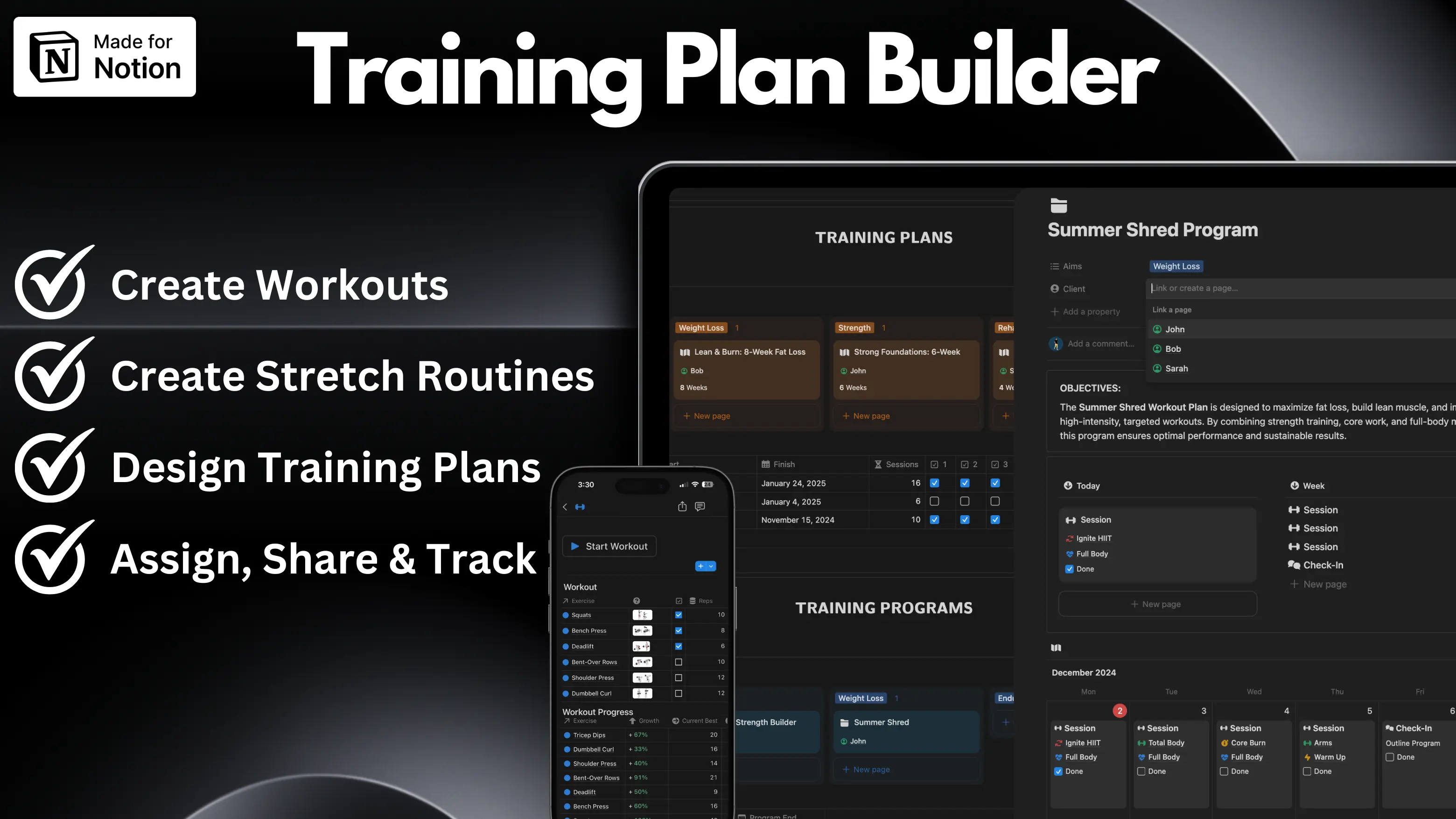
You start by building your individual workouts. PRO COACH includes a library of 200+ exercises and stretches already added, so you're not starting from zero. Each workout can include sets, reps, rest periods, notes, video links, and equipment needed. Anything your client needs to follow the session without you standing next to them.
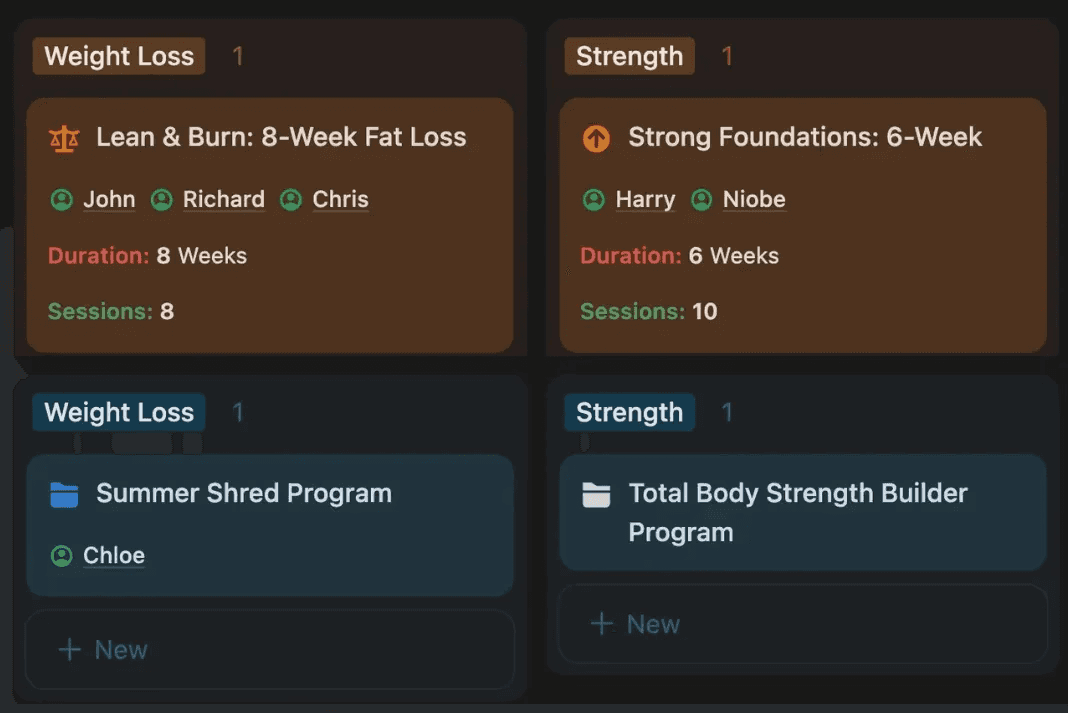
From there, you group your workouts into a training plan. That might be a 4-week strength block, a 6-week fat loss program, or a long-term periodized plan broken into phases. You can categorize plans by goal, fitness level, or client type, so your library stays organized as it grows.
Once the plan is ready, you assign it to a client in a couple of clicks and share it directly through their client portal. They can access it on their phone and complete the plan with a free Notion account. No PDFs, no email attachments, no "can you resend that?"
How to Build a Workout Program for a Client Inside PRO COACH
The process is straightforward, and it's the same whether you're writing a beginner program or a more advanced periodized plan.
You start by building your individual workouts. PRO COACH includes a library of 200+ exercises and stretches already added, so you're not starting from zero. Each workout can include sets, reps, rest periods, notes, video links, and equipment needed. Anything your client needs to follow the session without you standing next to them.
From there, you group your workouts into a training plan. That might be a 4-week strength block, a 6-week fat loss program, or a long-term periodized plan broken into phases. You can categorize plans by goal, fitness level, or client type, so your library stays organized as it grows.
Once the plan is ready, you assign it to a client in a couple of clicks and share it directly through their client portal. They can access it on their phone with a free Notion account. No PDFs, no email attachments, no "can you resend that?"
How to Build a Workout Program for a Client Inside PRO COACH
The process is straightforward, and it's the same whether you're writing a beginner program or a more advanced periodized plan.
You start by building your individual workouts. PRO COACH includes a library of 200+ exercises and stretches already added, so you're not starting from zero. Each workout can include sets, reps, rest periods, notes, video links, and equipment needed. Anything your client needs to follow the session without you standing next to them.
From there, you group your workouts into a training plan. That might be a 4-week strength block, a 6-week fat loss program, or a long-term periodized plan broken into phases. You can categorize plans by goal, fitness level, or client type, so your library stays organized as it grows.
Once the plan is ready, you assign it to a client in a couple of clicks and share it directly through their client portal. They can access it on their phone and complete the plan with a free Notion account. No PDFs, no email attachments, no "can you resend that?"
Writing a Training Plan Once and Using It Forever
This is where online coaches really start to win back their time.
Most trainers have the same 5 or 6 program structures they come back to. A beginner full-body plan. A push/pull/legs split. A 12-week progressive overload program. An athlete conditioning block. The specifics change client to client, but the skeleton stays the same.
In PRO COACH, you build those templates once and duplicate them for each new client. Swap out exercises for their equipment. Adjust the volume for their experience level. Add a note for any injuries or limitations. Done. The plan looks professional, it lives inside their portal, and you've spent a fraction of the time you would have starting from scratch.
As your client base grows, your template library grows with it. You end up with a proper workout program builder that reflects years of your coaching knowledge, not a folder of random PDFs and old spreadsheets.
Writing a Training Plan Once and Using It Forever
This is where online coaches really start to win back their time.
Most trainers have the same 5 or 6 program structures they come back to. A beginner full-body plan. A push/pull/legs split. A 12-week progressive overload program. An athlete conditioning block. The specifics change client to client, but the skeleton stays the same.
In PRO COACH, you build those templates once and duplicate them for each new client. Swap out exercises for their equipment. Adjust the volume for their experience level. Add a note for any injuries or limitations. Done. The plan looks professional, it lives inside their portal, and you've spent a fraction of the time you would have starting from scratch.
As your client base grows, your template library grows with it. You end up with a proper workout program builder that reflects years of your coaching knowledge, not a folder of random PDFs and old spreadsheets.


Tracking Progressive Overload and Client Performance Over Time
Building the program is only half the job. Knowing whether it's actually working is the other half.
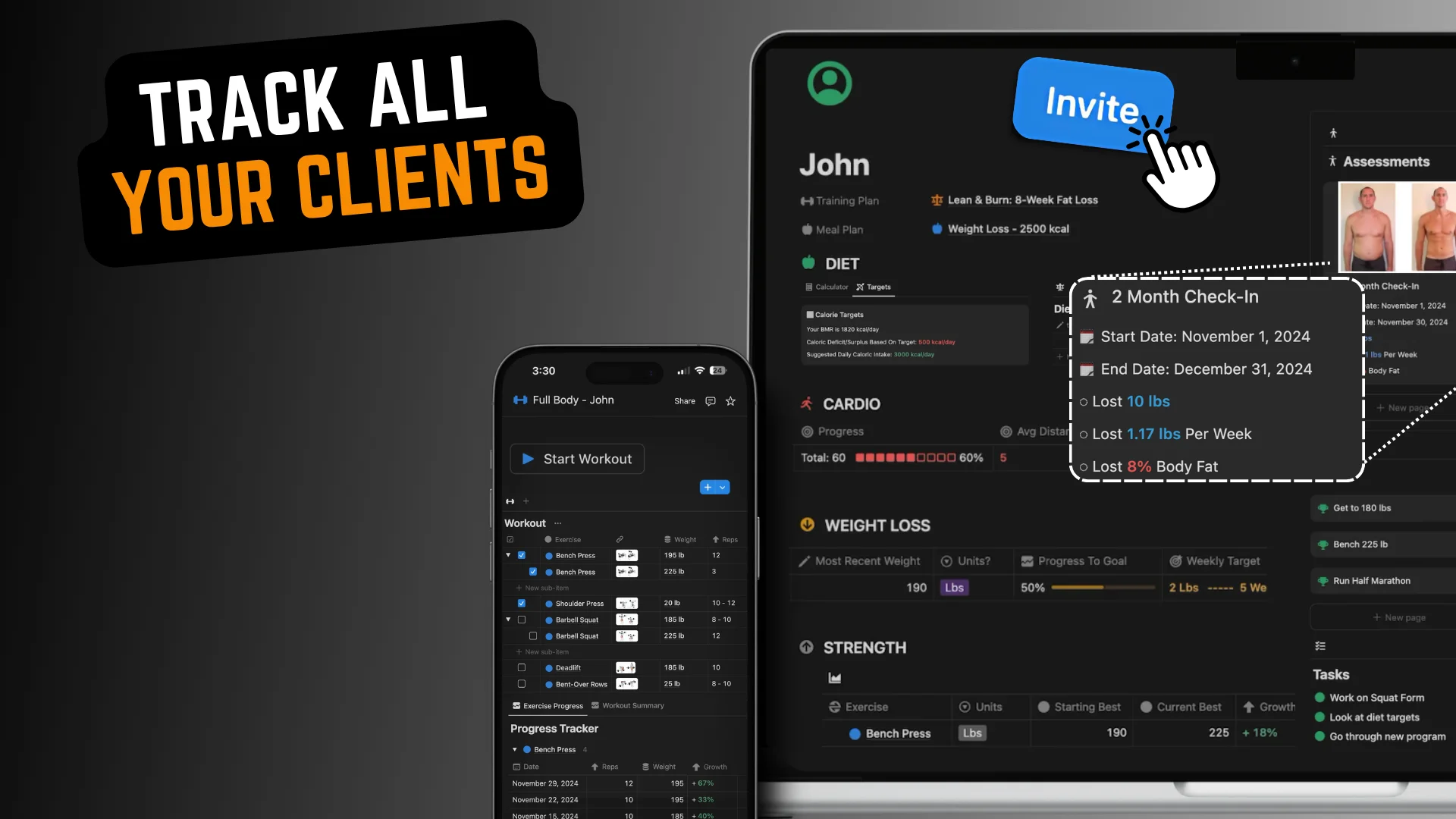
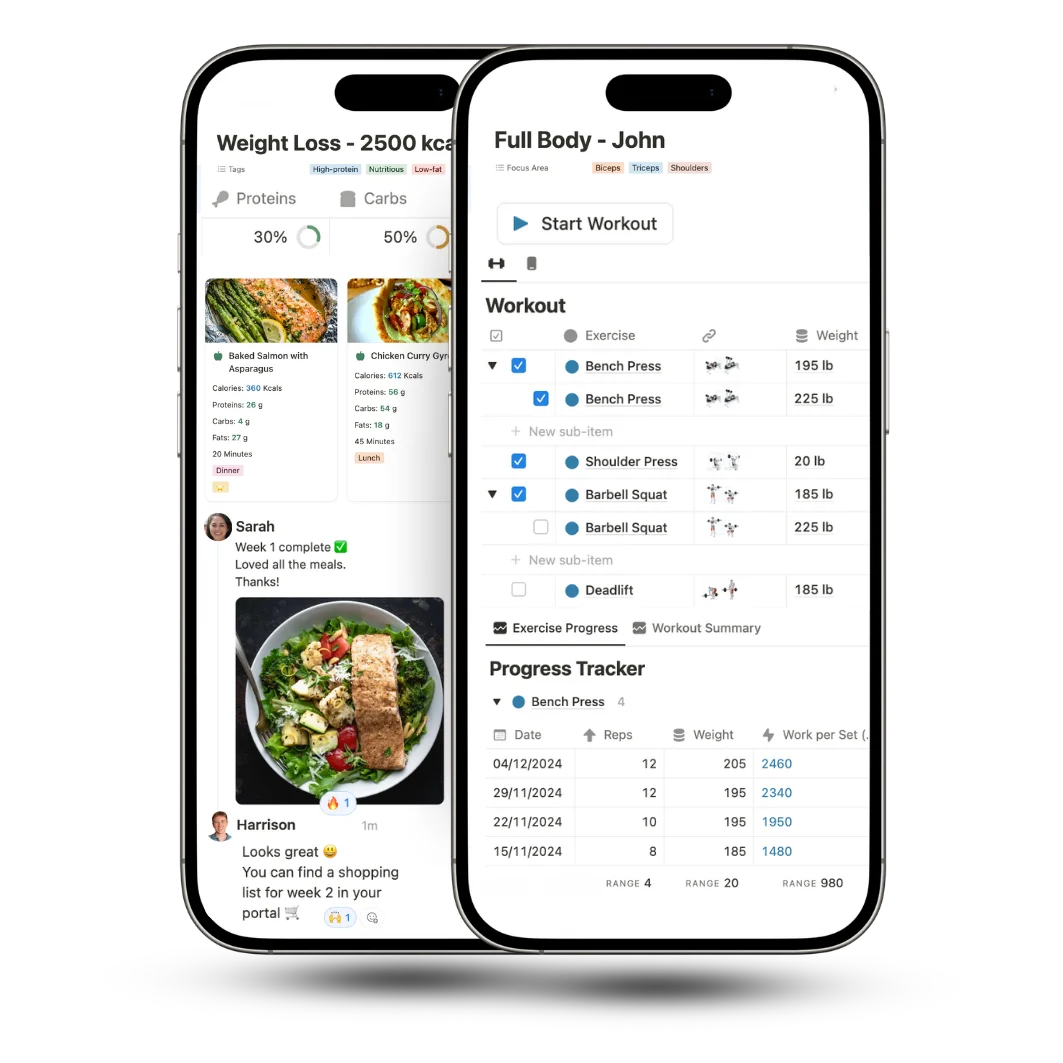
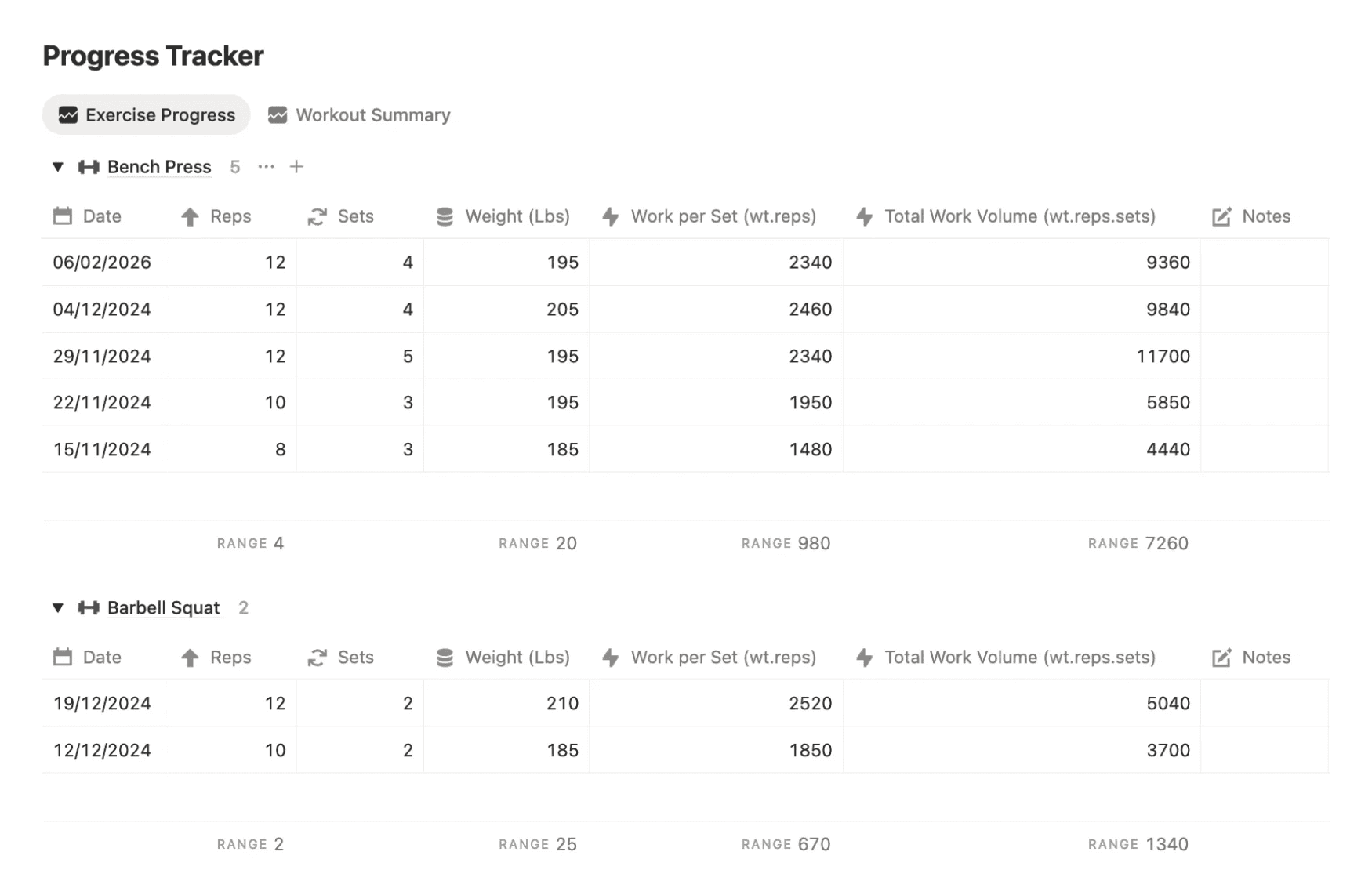
PRO COACH tracks every session your clients complete, so you build up a full picture of their progress over time rather than relying on memory or manual notes. Each workout logs automatically, and the performance metrics calculate themselves. You can see at a glance whether a client is lifting more, moving more volume, or hitting new personal bests without digging through old spreadsheets to find out.
The system supports 7 different workout types, and each one has its own dedicated progress tracker with metrics specific to that training style. Strength sessions track volume and load progression. Cardio sessions track output and endurance improvements. Every type of training your clients do gets measured in a way that's actually relevant to what they're trying to achieve.
For coaches who run progressive overload programs, this changes how you program entirely. Instead of guessing where a client is or asking them to remember what they lifted three weeks ago, you pull up their session history and the data tells you exactly where to take them next. It makes your programming sharper, your client reviews faster, and gives clients something visual to show them their progress is real.
That kind of progress visibility also does a lot for client retention. When someone can see clear stats showing their squat volume has gone up consistently over 8 weeks, they don't need convincing to renew.


Assigning and Sharing Plans with Clients
Getting the program to the client is just as important as building it well. A great training plan that confuses a client or gets buried in their inbox isn't doing anyone any good.
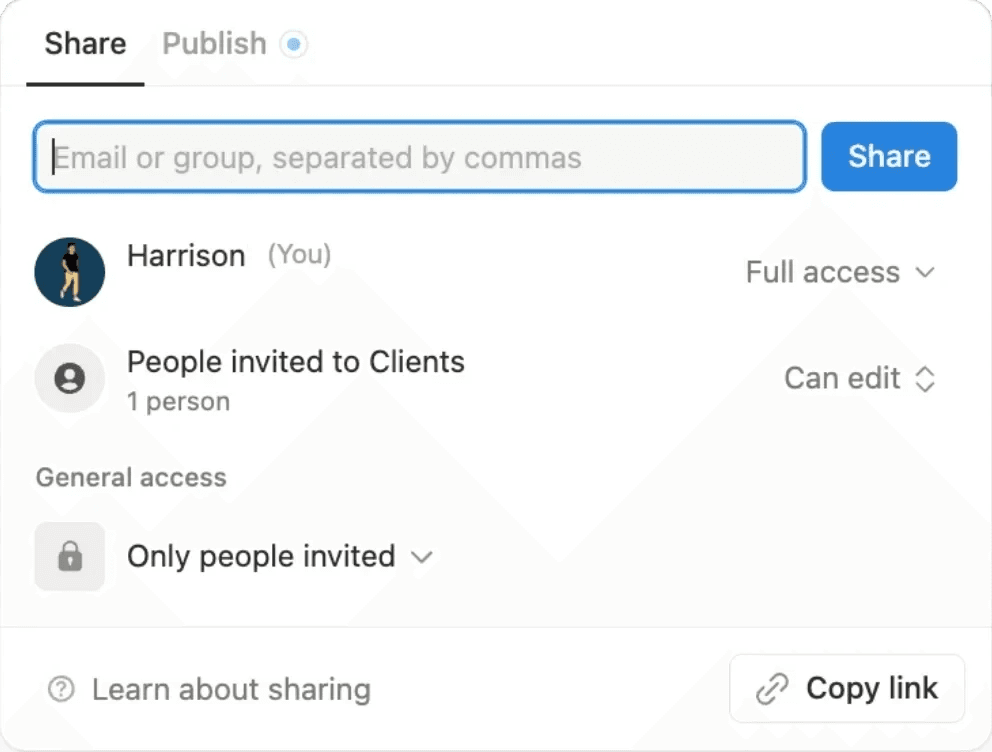
With PRO COACH, each client has their own portal inside Notion. When you assign a training plan to them, it shows up there automatically. They can view their full program, track their sessions, log weights and progress, and leave notes for you. Everything in one place.
You can share their portal or program via a simple invite to their email. They click the link and they're in. For clients who aren't especially tech-savvy, that low friction matters more than most trainers realize.
Assigning and Sharing Plans with Clients
Getting the program to the client is just as important as building it well. A great training plan that confuses a client or gets buried in their inbox isn't doing anyone any good.
With PRO COACH, each client has their own portal inside Notion. When you assign a training plan to them, it shows up there automatically. They can view their full program, track their sessions, log weights and progress, and leave notes for you. Everything in one place.
You can share their portal or program via a simple invite to their email. They click the link and they're in. For clients who aren't especially tech-savvy, that low friction matters more than most trainers realize.
Building Programs for Different Client Goals
Not every client wants the same thing, and your program templates shouldn't all look the same either.
PRO COACH lets you build and categorize plans by goal, so your library stays clean and easy to navigate. In practice that means having separate sections for things like weight loss programs, muscle building programs, beginner fitness plans, sports conditioning blocks, and maintenance or lifestyle programs.
When a new client comes in, you go to the relevant section, duplicate the template that fits them best, personalize the details, and assign it. The more clients you take on, the more refined those templates get over time. It becomes less about building programs and more about applying your coaching knowledge faster.
Building Programs for Different Client Goals
Not every client wants the same thing, and your program templates shouldn't all look the same either.
PRO COACH lets you build and categorize plans by goal, so your library stays clean and easy to navigate. In practice that means having separate sections for things like weight loss programs, muscle building programs, beginner fitness plans, sports conditioning blocks, and maintenance or lifestyle programs.
When a new client comes in, you go to the relevant section, duplicate the template that fits them best, personalize the details, and assign it. The more clients you take on, the more refined those templates get over time. It becomes less about building programs and more about applying your coaching knowledge faster.


Here's what's included inside
PRO COACH to make all of this possible
Here's what's included inside
PRO COACH to make all of this possible
200+
Exercises & Stretches
Use the library of exercises and stretches and quickly add any number of new additional movements. Store notes, videos, URLs, or pictures that you or your clients can access.
200+
Exercises & Stretches Pre-Added
Use the library of exercises and stretches and quickly add any number of new additional movements. Store notes, videos, URLs, or pictures that you or your clients can access.
Pre-Added
Ingredients Database
Use the library of ingredients to design meals and meal plans for your clients. Categorize these with different goals (muscle gain, weight loss, etc.). Calories and macros are automatically calculated.
Ingredients
Pre-Added
Use the library of ingredients to design meals and meal plans for your clients. Categorize these with different goals (muscle gain, weight loss, etc.). Calories and macros are automatically calculated.
Unlimited
Training or Meal Plans
Notion doesn't have a storage limit. Build any number of plans using a free Notion account.
Unlimited
Training or Meal Plans
Notion doesn't have a storage limit. Build any number of plans using a free Notion account.
Share
With Clients Easily
Share page links with clients or add them as page guests. Clients will be able to access any plan, workout, or meal you share with them without needing a Notion account.
Share
With Clients Easily
Share page links with clients or add them as page guests. Clients will be able to access any plan, workout, or meal you share with them without needing a Notion account.
Download a Pre-Made Notion
Template for Building Client Training Plans
Download a
Pre-Made Notion
Template for Client Training Plans
Download a Pre-Made Notion
Template for Building Client Training Plans


Manage your personal training clients, coaching, and business
Organize your personal training clients, coaching, and business
Notion PRO COACH Reviews
Why coaches use
Notion PRO COACH
to Build, Assign, & Share Client Training Plans
Why coaches use
Notion PRO COACH
to Build, Assign, & Share Client Training Plans
My Clients Love It
"I’ve been using pro coach for my clients and they love it. It really elevates the training experience and simplifies programming! I also appreciate your help with getting started and sharing the client profiles."

Machaela Simmons
United States
Improved The Quality Of My Client Plans
"Great product with lots of useful functions. It has definitely improved the quality of my client plans"

Christopher James
Spain
Improved The Quality Of My Client Plans
"Great product with lots of useful functions. It has definitely improved the quality of my client plans"

Christopher James
Spain
Alternative To Online Coaching Apps
"I've been looking for an alternative to online coaching apps for a while and found it here. All the important details have been taken care of and it makes my work easier!"

Mike Gann
Germany
Alternative To Online Coaching Apps
"I've been looking for an alternative to online coaching apps for a while and found it here. All the important details have been taken care of and it makes my work easier!"

Mike Gann
Germany
© HarrisonWallace. 2025. All rights reserved.